Blogging with Nuxt Content
Content is a module designed to make managing texts a whole lot easier. It allows you to read .md, .yml, .csv and .json files from the content/ directory. In this case, I'm more interested about .md files to create an easy way to blog.
Installation
Initialize a fresh install of Nuxt and Content module with:
npx nuxi@latest init nuxt-content-app -t content
Start the app in development mode:
cd nuxt-content-app
npm run dev
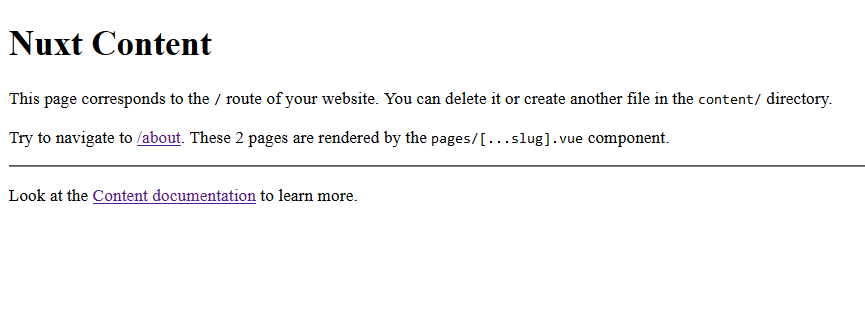
Beautifying The Markdown
It doesn't look that great right now, does it? Let's add some style to it with the help of Tailwindcss. You can read tailwind's official guide here.
Install Tailwindcss
npm install -D tailwindcss postcss autoprefixer
npx tailwindcss init
In nuxt.config.js, update to the following.
// https://v3.nuxtjs.org/api/configuration/nuxt.config
export default defineNuxtConfig({
  postcss: {
    plugins: {
      tailwindcss: {},
      autoprefixer: {},
    },
  },
  modules: ['@nuxt/content']
})
Configure template paths, by modifying the following file tailwind.config.js
/** @type {import('tailwindcss').Config} */
export default {
  content: [
    "./components/**/*.{js,vue,ts}",
    "./layouts/**/*.vue",
    "./pages/**/*.vue",
    "./plugins/**/*.{js,ts}",
    "./nuxt.config.{js,ts}",
    "./app.vue",
  ],
  theme: {
    extend: {},
  },
  plugins: [],
}
Create a file ./assets/css/main.css and add the following codes inside.
@tailwind base;
@tailwind components;
@tailwind utilities;
Add the line css: ['~/assets/css/main.css'] to the file nuxt.config.ts
// https://v3.nuxtjs.org/api/configuration/nuxt.config
export default defineNuxtConfig({
  css: ['~/assets/css/main.css'],
  postcss: {
    plugins: {
      tailwindcss: {},
      autoprefixer: {},
    },
  },
  modules: ['@nuxt/content']
})
Installing @tailwindcss/typography
Install tailwindcss's typography package from npm:
npm install -D @tailwindcss/typography
Then add the plugin to your tailwind.config.js file:
/** @type {import('tailwindcss').Config} */
module.exports = {
  content: {
    // ...
  },
  theme: {
    // ...
  },
  plugins: [
    require('@tailwindcss/typography'),
    // ...
  ],
}
You can read the official guide here.
Making it Look Nice
Add class="prose-lg max-w-4xl mx-auto" to the <ContentDoc> tag.
prose-lgis to apply tailwindcss's typography css classes to the content.max-w-4xlis to constrain the width of the cotent to 4 times extra large.mx-autopads the left and right with margin to center the content.
[...slug.vue]
<template>
  <main>
    <ContentDoc class="prose-lg max-w-4xl mx-auto" />
  </main>
</template>
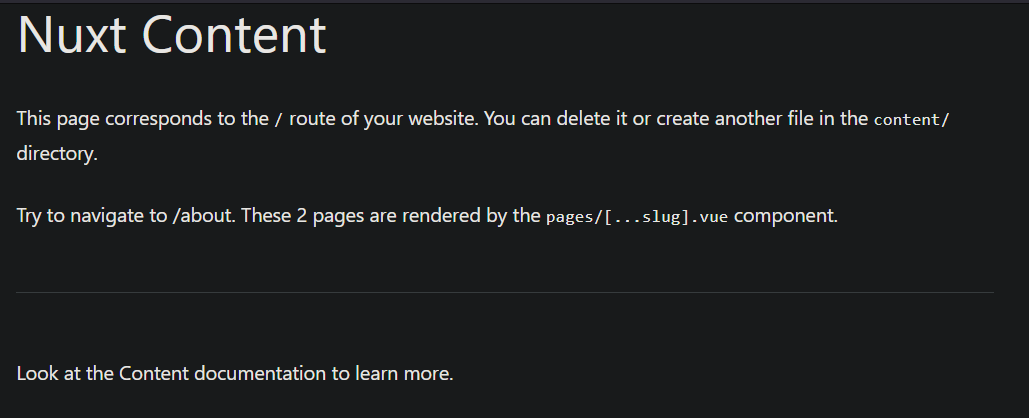
It's looking much better! You can read Nuxt Content's official Documentation here.
You can also find out how to Return 404 on Document Not Found.